Industry-format screenplays.
Free for writers, forever.
Penova is a professional screenwriting studio for Mac and iPhone. Three-pane editor, index cards, beat tagging, and WGA-format PDF / Final Draft (.fdx) / Fountain export — the features Final Draft charges $250 for, free for individual writers and students.
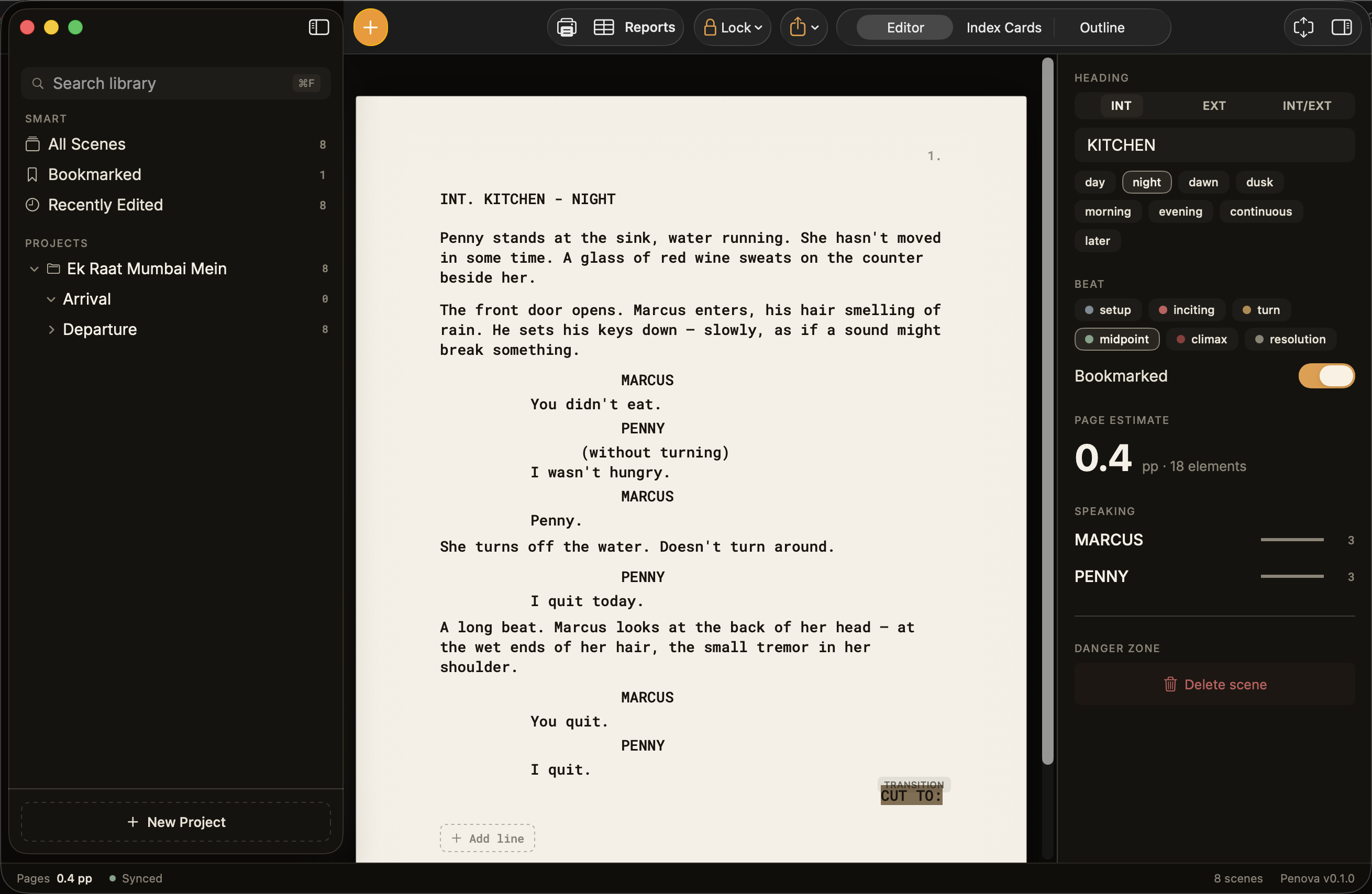
Continuous editor
Tab cycles element kind. Return advances to the next default. ⌘1–⌘7 sets type directly. Final Draft–style on a Mac that gets out of your way.
Beat-board, sortable
Drag scenes between beats. Sort by location, time, or page count. Click any card to drill straight into the editor.
Lock + reports
Freeze scene numbers for production. Generate scene, location, and cast tables for your line producer in two clicks.
Industry format
WGA-standard PDFs. Final Draft (.fdx) round-trip. Fountain plain-text. Re-import any of the three. Your file, your script.
The same tool. One-tenth the price.
Actually, none of it.
Industry-grade screenwriting software has always been priced for studios. Penova is for writers and students. If you make money from your script one day, that's because you wrote it — not because you paid for the tool that typed it.
What's free, forever: every editing, formatting, import,
export, search, outlining, beat-tagging, production-report and revision
feature you'll find on this page.
What we'll charge for, later: optional cloud sync across
machines, real-time co-writing for teams, and writers'-room features for
studios. The single-writer experience stays free.
“A great screenplay shouldn't be gatekept by $249.99. The film student writing nights between classes, the writers' assistant taking notes on weekends, the indie filmmaker self-funding their first feature — none of them should lose to a writer with a bigger software budget. The screenplay you write in Penova is the same file Final Draft would charge you to type. Penova is the tool we wish we'd had.”
Plan in cards. Outline in lanes.
Write the page.
Four panes that respect the way screenwriters actually work — beats first, dialogue last. Switch between them with one keystroke; everything stays in sync.
Distraction-free pages, with the chrome you need.
Cream-paper script on a dark canvas. Tab cycles element type. Right-click any line for Insert above / Insert below / Change kind / Delete. ⌘⌫ removes a row regardless of content. The inspector on the right tracks the active scene's heading, beat, page estimate, speaking characters — and the danger zone for one-tap delete.
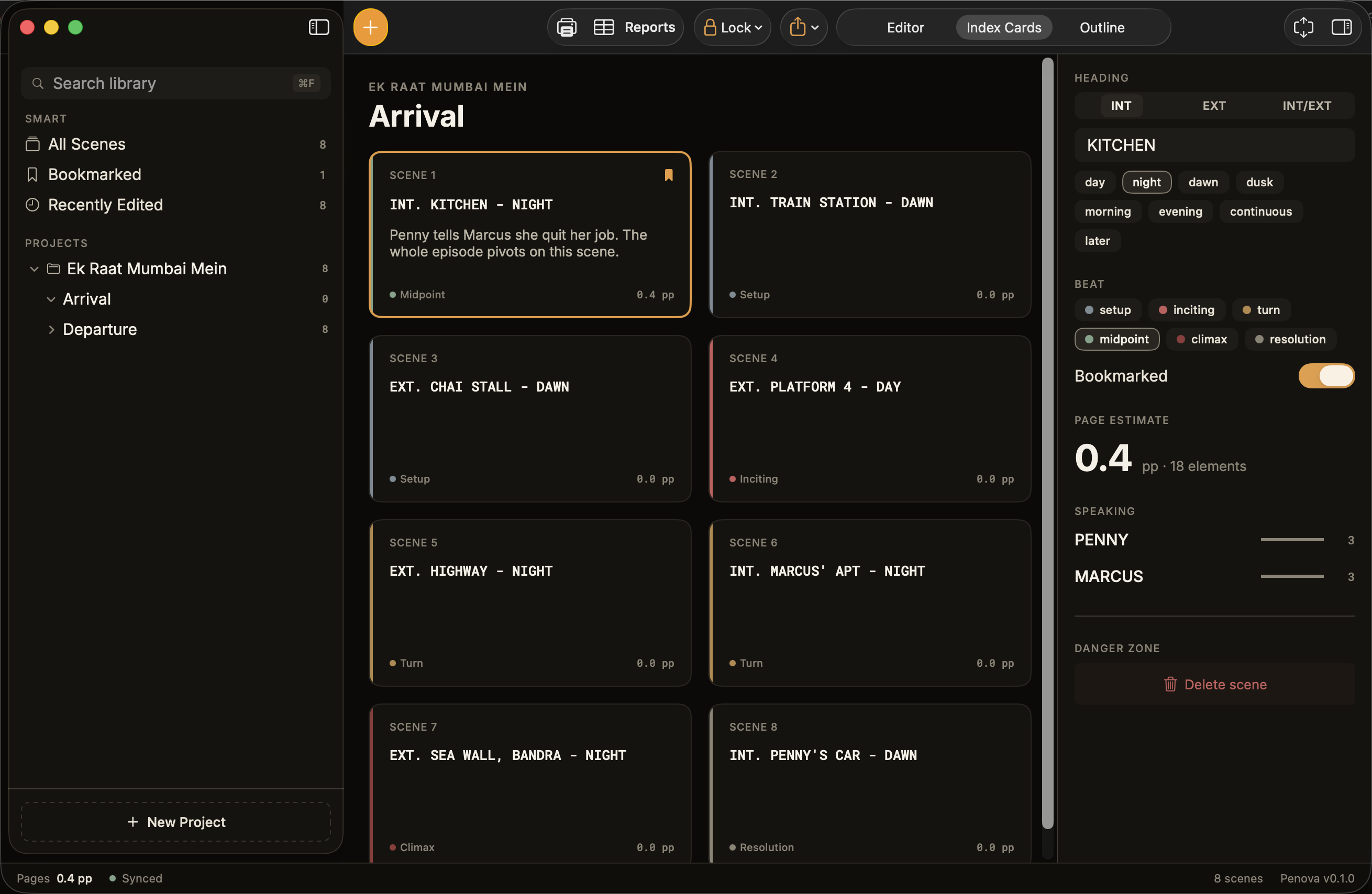
Beat board for the structural pass.
Every scene is a card, color-striped by beat — setup, inciting, midpoint, climax, resolution. Drag to reorder; the script renumbers underneath. Click a card to jump straight into its dialogue. Right-click for Open in editor / Delete scene.
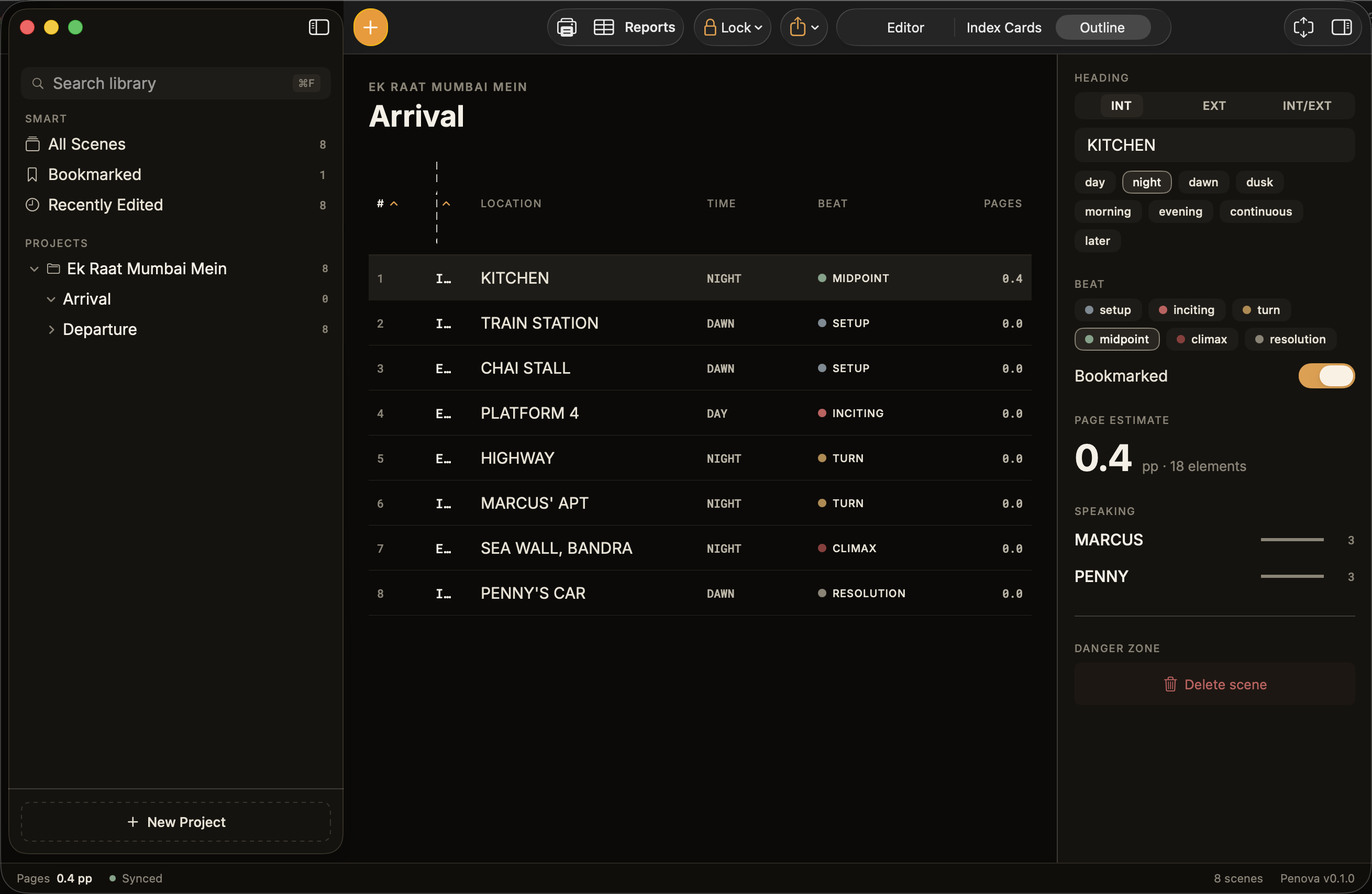
Sortable lanes for the navigational pass.
Every scene's location, time, beat, and page count in one table. Click any column header to re-sort. Hover a row to preview, click to open. Faster than scrolling through a 110-page PDF — and once the script is locked, the scene numbers freeze in place just like Final Draft.
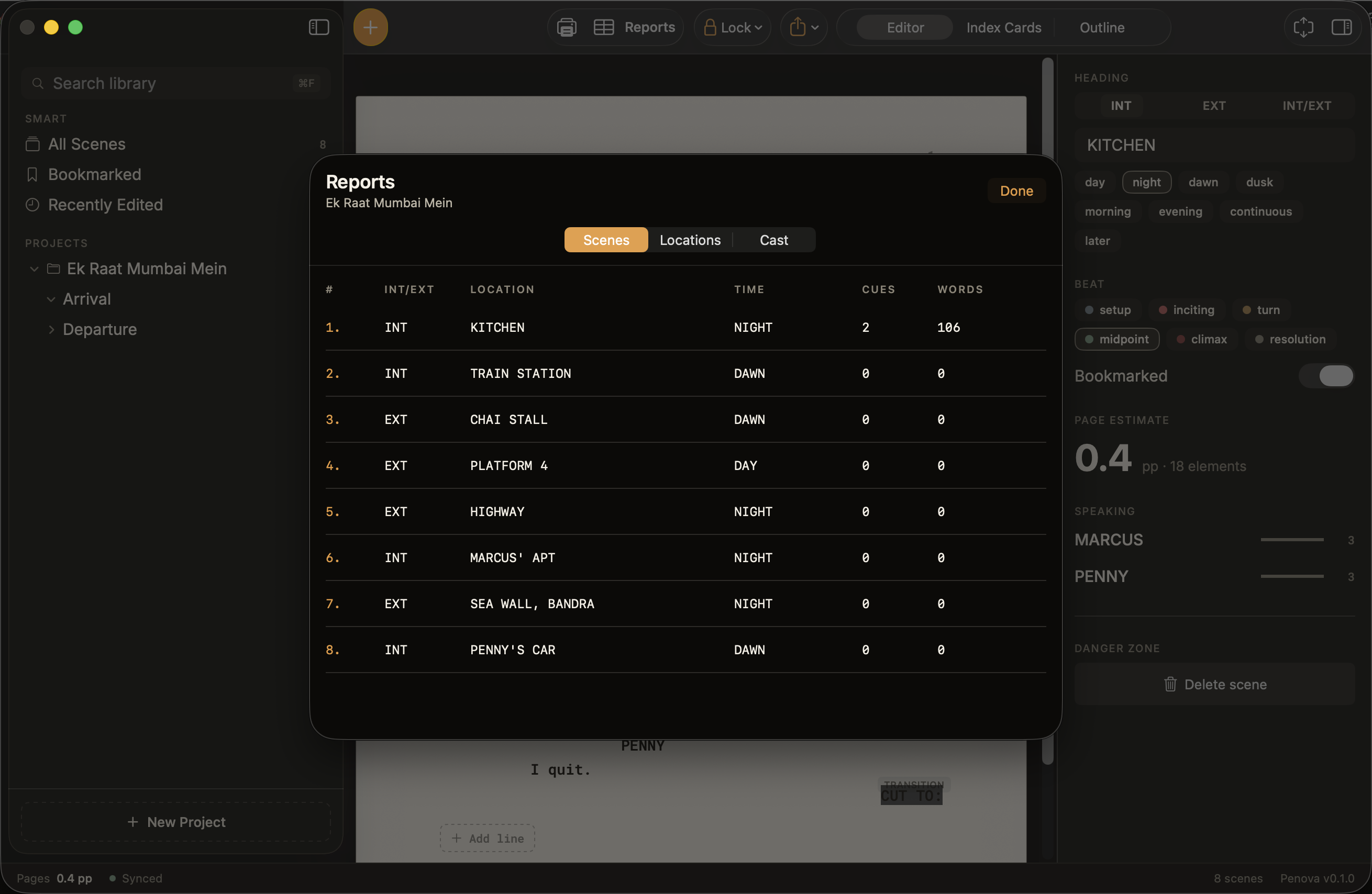
Scene, location, and cast tables — script supervisor ready.
Hand your draft to a producer. Three-tab breakdown: scene list (INT/EXT, location, time, cue count, words), location roll-up, and cast roll-up sorted by dialogue weight. Lock the script first and these numbers stay frozen through every revision.
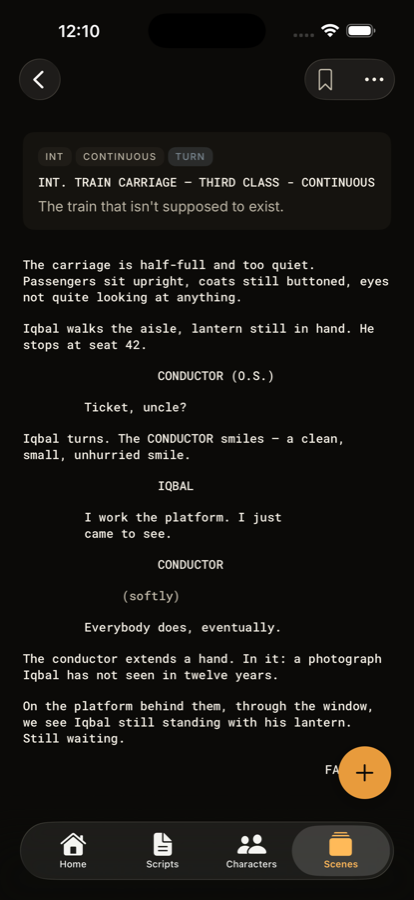
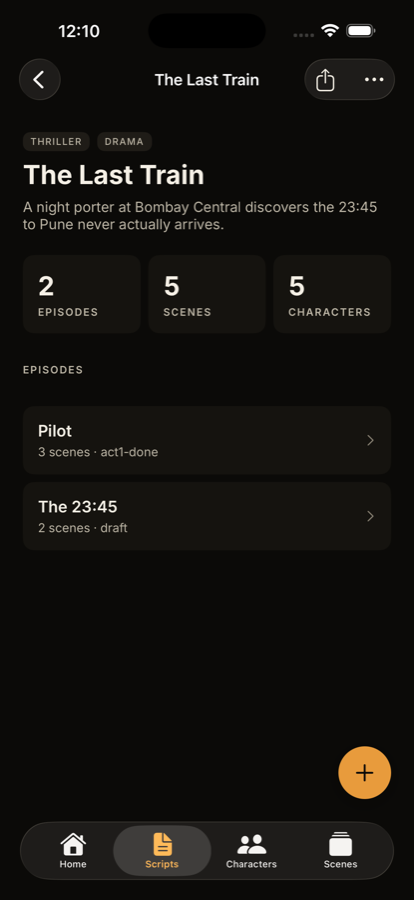
Penova for iPhone.
The same screenplay engine, optimized for one hand. Quick capture with on-device speech recognition (English + हिन्दी), an editor that respects portrait, and your scripts sync nowhere — they stay on your device.
Penova for Windows.
A native Windows version is on the way. We're building Mac and iPhone first because that's where most of the early writers came from — but if Windows is your primary machine and you want industry-format screenwriting for free, the loudest demand decides what ships next.
Drop us a line and we'll add you to the early-access list. One email, one line — your platform is enough. We'll write back when the Windows beta opens.